
The Team page
Agent Team is where you work with your agents. It has four parts.
Header
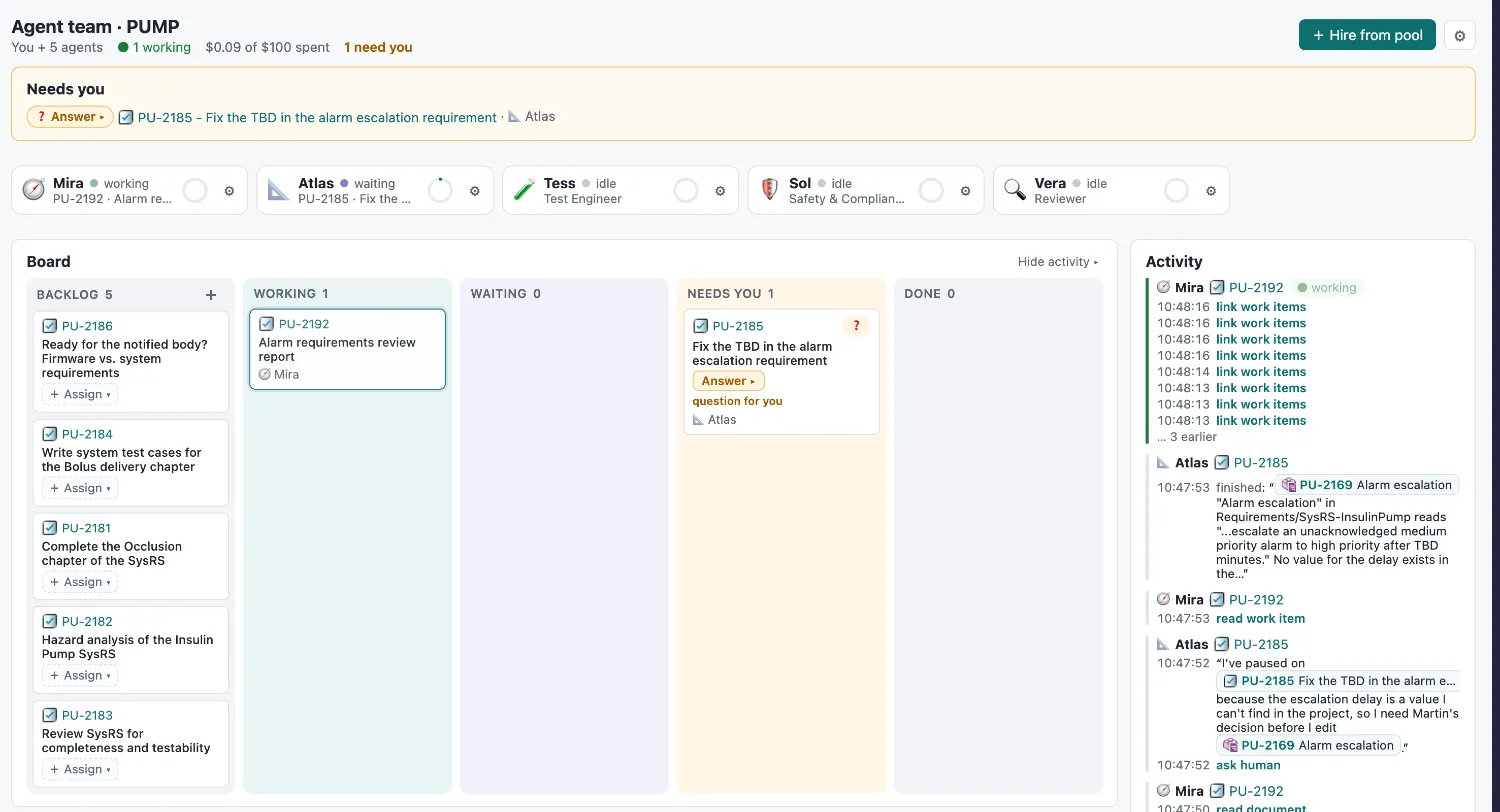
Section titled “Header”“You + 5 agents · $3.59 of $100 spent · 2 need you” — the team at a glance. + Hire from pool opens the hiring wizard.
Needs you
Section titled “Needs you”Everything waiting for a person, one line each:
- ✅ Review & decide ▸ — an agent submitted a result.
- ❓ Answer ▸ — an agent asked a question.
- 🔐 Approve change ▸ — an agent wants to make a change that needs your approval.
- 🧠 Review memory ▸ — an agent proposed a memory from your feedback.
The button opens the decision box right on the board. The id and title link to the work item, as anywhere in Polarion.
Agent tiles
Section titled “Agent tiles”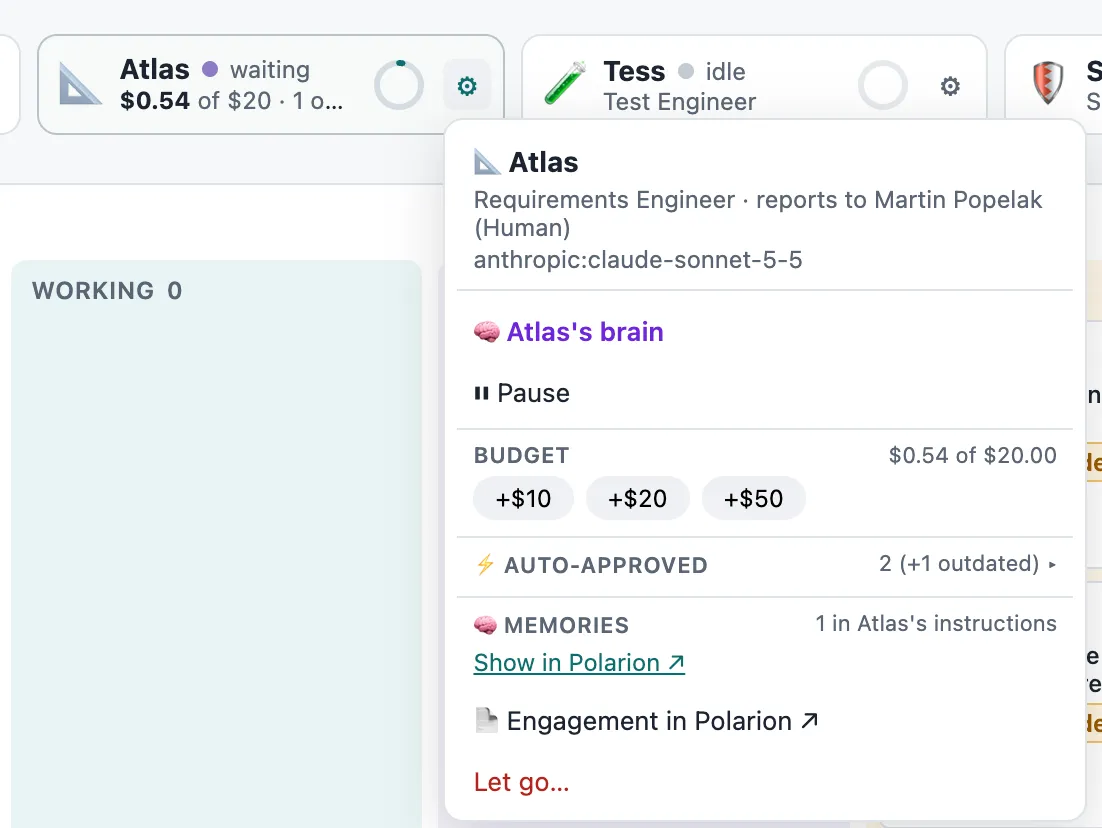
One tile per hired agent, with a status dot:
| State | Meaning |
|---|---|
| working | A run is in progress. |
| waiting | Has open tasks, waiting for you or a teammate. |
| idle | Nothing to do. |
| paused | Paused by you. |
| budget used up | Raise the budget to continue. |
Hover a tile to see its spend and open tasks. Click it to filter the board to that agent’s tasks. Drop a task on a tile to assign it. The ⚙ menu holds everything else: the Agent Brain, pause/resume, budget, internet access, auto-approved tools, memories, the engagement, and Let go.
| Column | What’s in it |
|---|---|
| Backlog | Tasks no agent works on yet. + creates one; + Assign ▾ gives it to an agent. |
| Working | A run is active — or the task is queued and starts in a moment. |
| Waiting | The task can’t move right now. The card says why: starts after PU-12 (Tess), waits for Atlas · PU-15, Mira reviews, budget is used up. |
| Needs you | A person has to act — see above. |
| Done | Approved and closed. |
Activity
Section titled “Activity”A live timeline, newest on top. Consecutive steps of one agent on one task form a block: what it said, which tools it used, and when. Blocks never jump around — new ones appear at the top. When an agent writes a report document, a 📄 card shows its chapters and items as it grows.
Hide activity collapses the column; the page remembers your choice.