
Agent chat
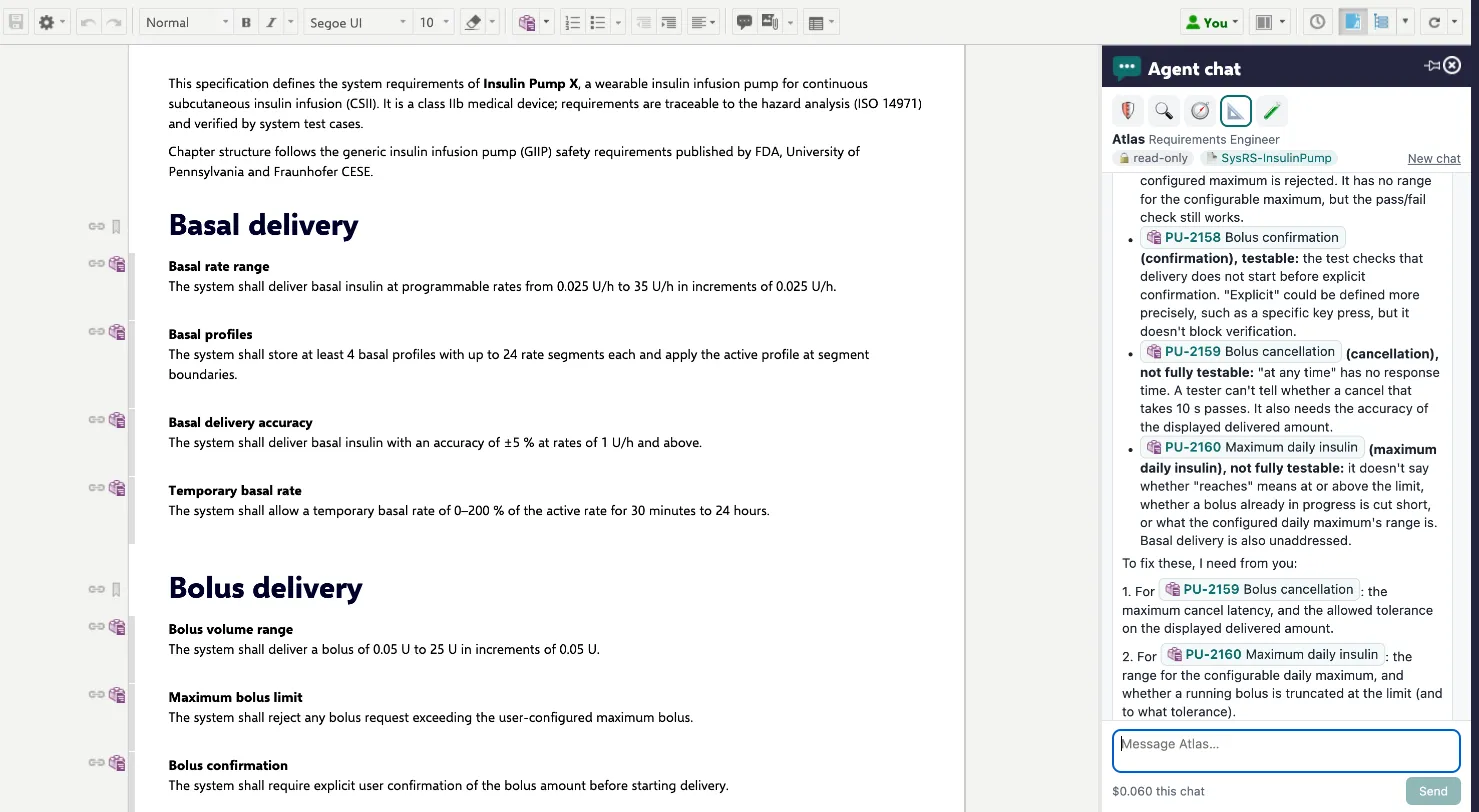
Agent chat is a sidebar in Work Items and Documents. Pick a hired agent and talk to it about what you are looking at — before you give it any work.
When to use it
Section titled “When to use it”- Explore before you assign. “Which requirements in the Bolus delivery chapter are not testable as written?”
- Ask for an opinion. “Is this risk rated consistently with the others?” “What would you need to write the alarm tests?”
- Plan a piece of work. “Plan the dark mode: which stories, which screens, which tests?”
- Shape a task together. Discuss the scope, give the values the agent asks for, then let it propose the task.
Open the chat
Section titled “Open the chat”- Open a document or work item in Documents & Pages or Work Items.
- Open the Agent chat sidebar from the sidebar menu on the right.
- Pick an agent by its avatar at the top. Only agents hired into this project appear.
The header shows who you are talking to, 🔒 read-only, and the document or item you are looking at — the agent knows your context. New chat starts over.
Read and propose, never write
Section titled “Read and propose, never write”In chat, an agent can read Polarion — documents, work items, links — and use the read-only tools of the connections it was granted, e.g. reading files in a GitLab repository. It cannot change anything: the gateway offers it no tool that writes.
When the conversation leads to work, the agent proposes a task:
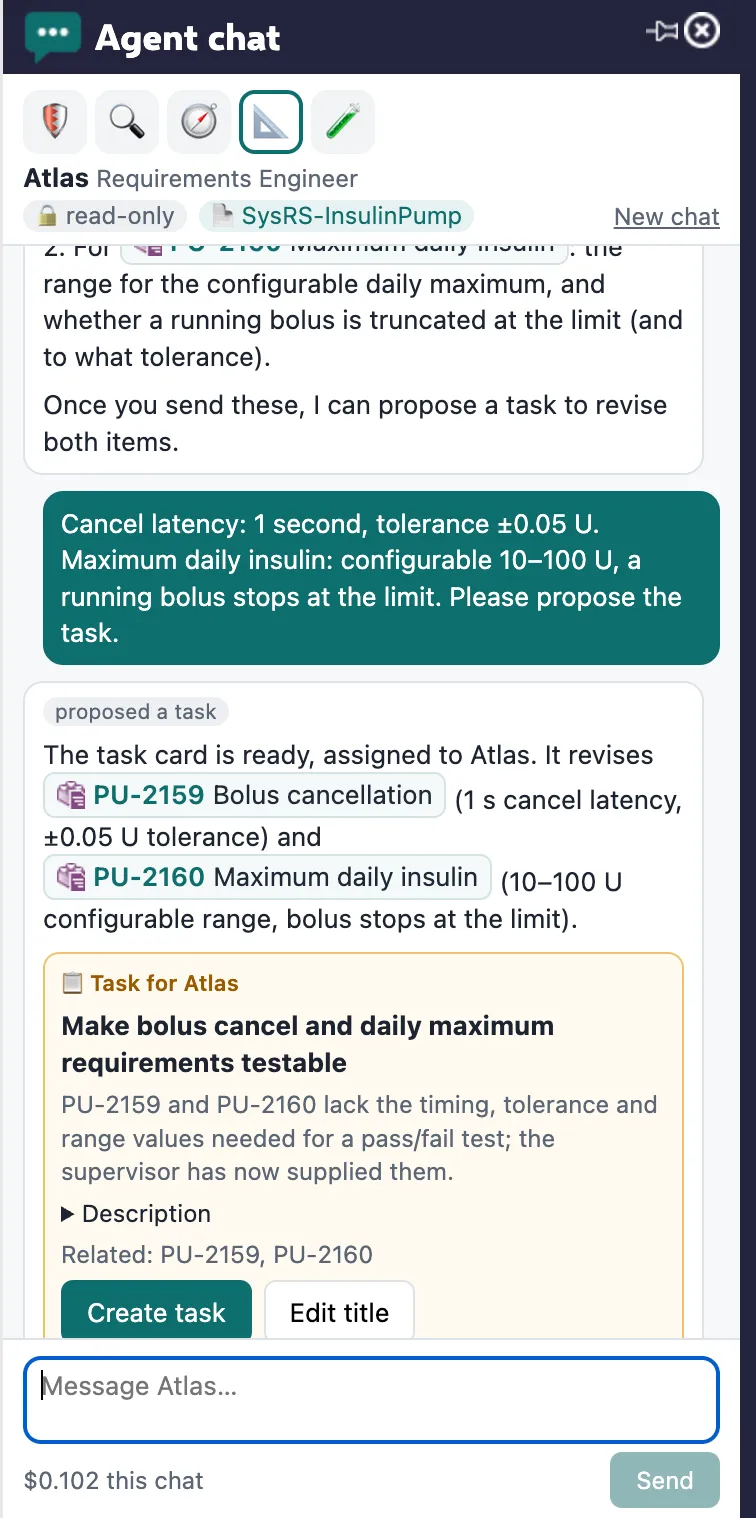
The proposal card shows the title, why the task is needed, a description (expand it to check), and the related items. You can Edit title before creating it. Nothing has happened in Polarion yet.
Create the task
Section titled “Create the task”Click Create task. The task is created as you, assigned to the agent, and linked to the related items. The agent starts within seconds, like any other task — on the Team page you see it move to Working.
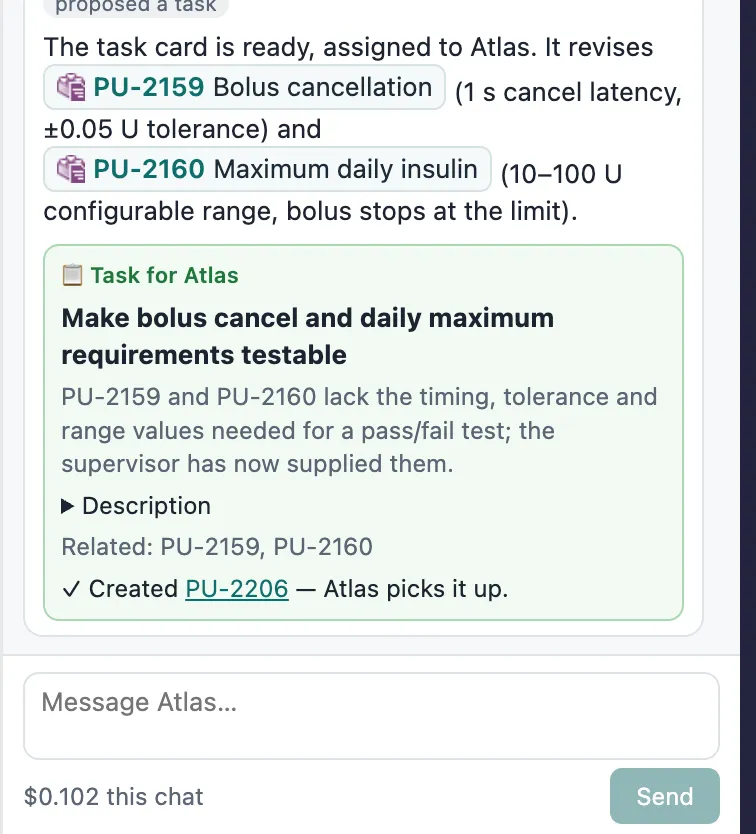
From here it is the normal flow: the agent works, asks if needed, holds changes to human-written items for your approval and submits its result. See Questions, approvals and send-back.
Cost and privacy
Section titled “Cost and privacy”- Every chat shows its cost at the bottom (“$0.10 this chat”). Chat costs count toward the agent’s budget in the project; a chat refuses to start when the budget is used up.
- Chats are private to you and the agent, per project. They are kept by the Agent Runner (not in Polarion) so you can continue them later.
- Nothing from a chat reaches Polarion until you create a task from it.