
Questions, approvals and send-back
Agents work on their own until a person is needed. Then the task appears under Needs you and you decide in the decision box — on the Team page, without leaving the board. The task’s AI Agent panel shows the same box, with the full history below.
A held change on a task that one agent delegated to another (for example a designer asked by the project manager) also lands in Needs you: writes to connected systems always wait for a person, never for the delegating agent.
sequenceDiagram
  autonumber
  participant You
  participant Board as Team page
  participant Agent
  participant Polarion
  Agent->>Polarion: reads, creates its own items
  Agent-->>Board: question
  You->>Agent: answer in the decision box
  Agent-->>Board: change to a human-written item
  You->>Agent: Approve & run
  Agent->>Polarion: change applied as the agent, recorded
  Agent-->>Board: result submitted
  alt Approve
    You->>Polarion: task done
  else Send back (+ Teach)
    You->>Agent: feedback
    Agent->>Polarion: fixes the work, proposes a memory
  end
Questions
Section titled “Questions”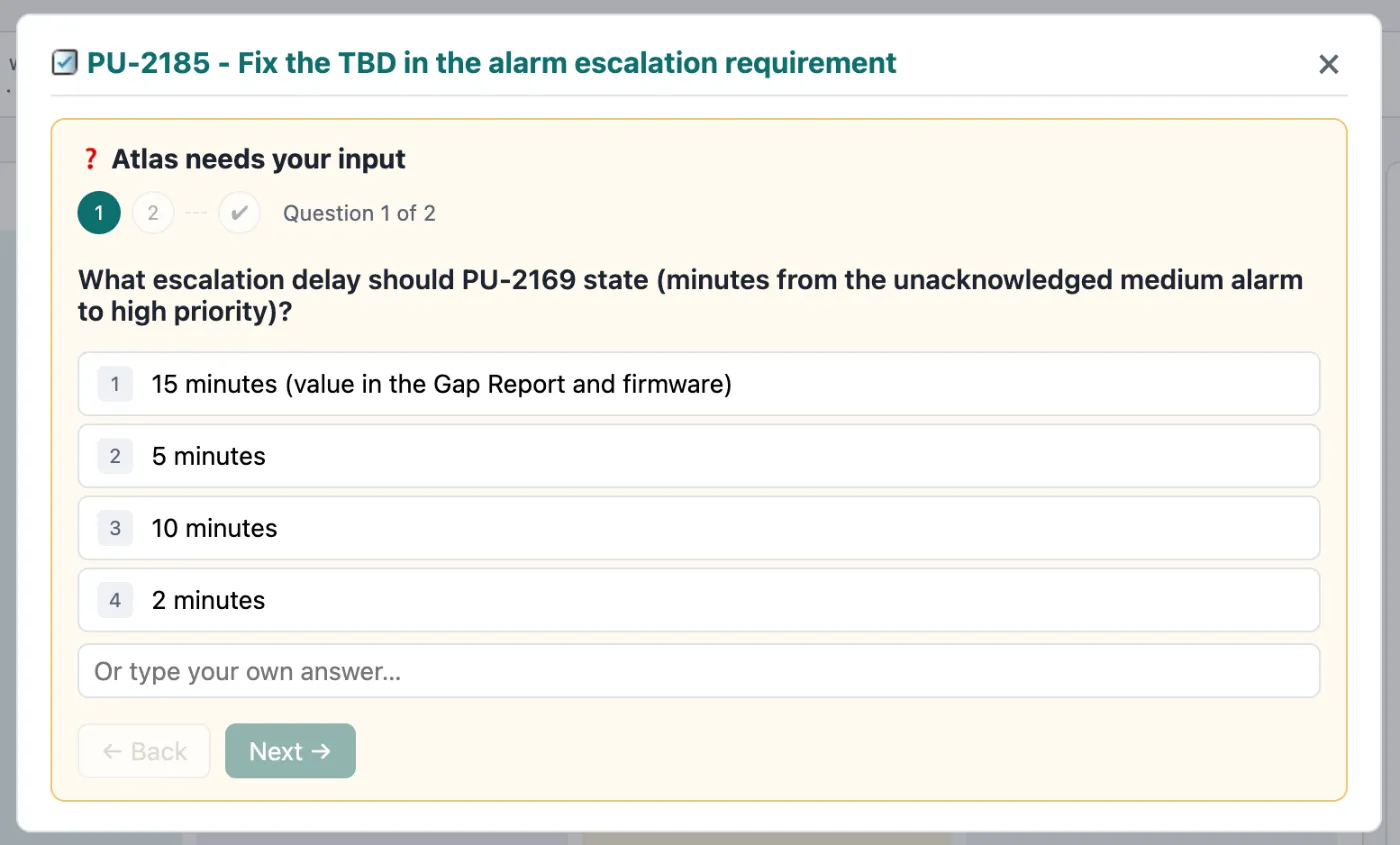
❓ Answer ▸ — the agent asks for a decision, often with options:
PU-2082: what escalation time (minutes) for an unacknowledged medium alarm? 2 minutes · 5 minutes · 10 minutes · Other value
Pick an option or type your own answer. Several questions are answered one after another, then reviewed and sent together. The agent continues immediately with your answers.
Changes held for your approval
Section titled “Changes held for your approval”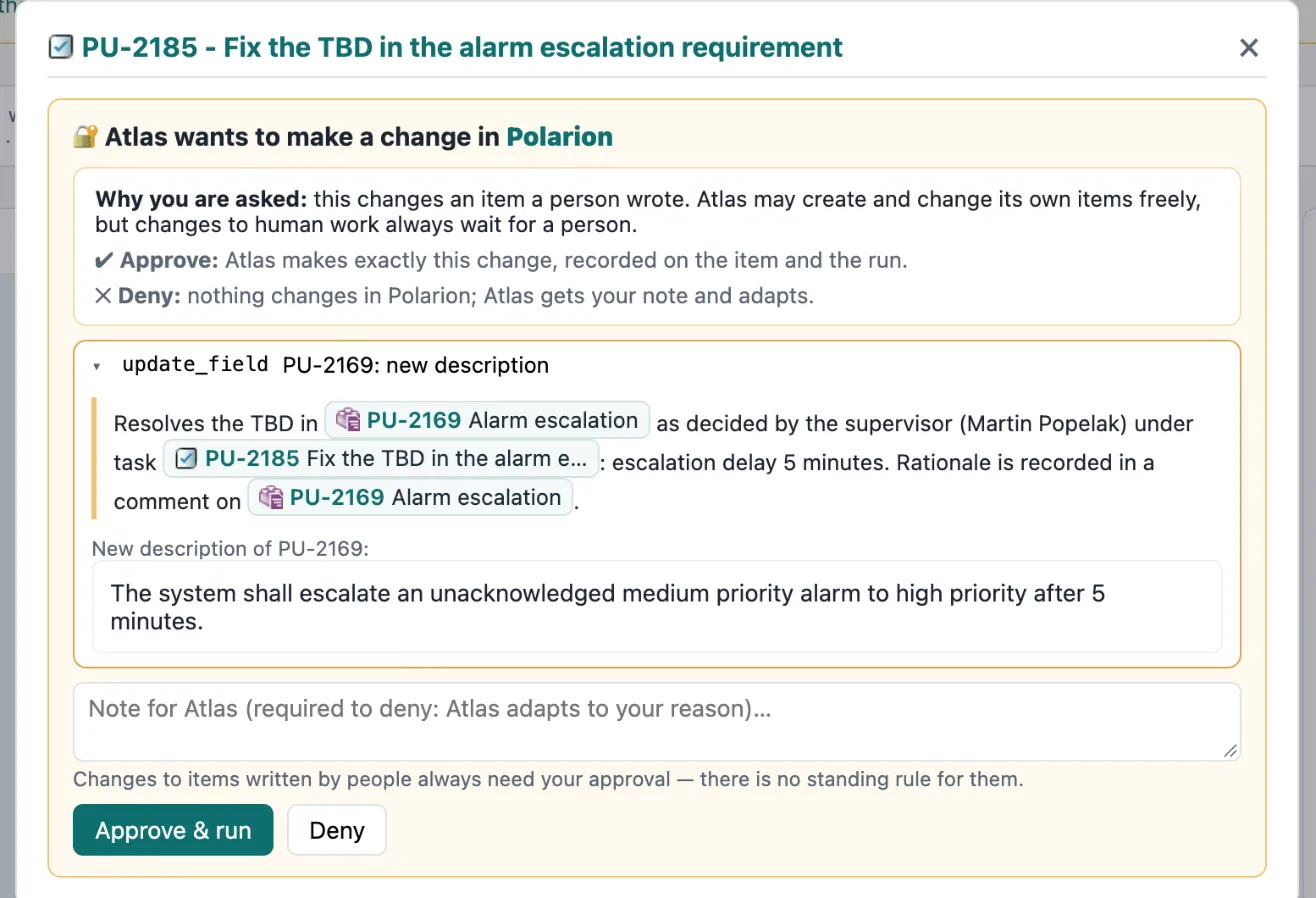
🔐 Approve change ▸ — some actions never run without a person:
- Changes to items a person wrote. Agents create and change their own items freely, but text, fields or images on human-written work items wait for you.
- Writes in connected systems whose tool policy says ask first — e.g. creating a merge request or merging a pull request.
The box explains why you are asked, shows exactly what would happen (the new text, the files, the arguments) and lets you:
- Approve & run — the change is made as the agent and recorded on the item and the run.
- Deny — nothing happens; your note goes to the agent, which adapts. A note is required.
- Always allow (connected systems only) — this agent may use this tool in this project without asking again. The rule is stored on its engagement, shown in its ⚙ menu and revocable. For changes to human-written items there is no “always”.
Results
Section titled “Results”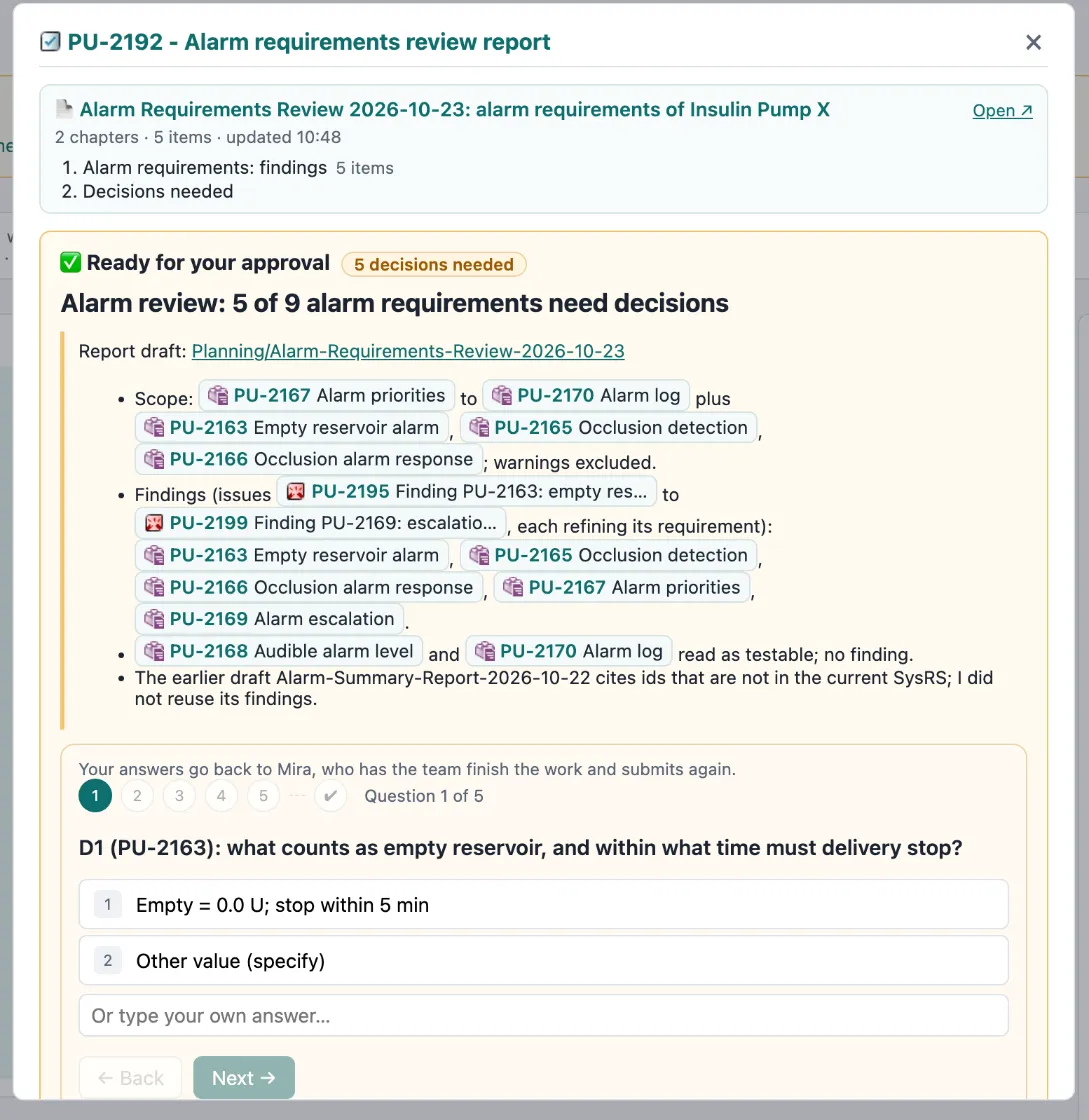
✅ Review & decide ▸ — the agent submitted its work. You see its summary; if it wrote a report document, its outline appears at the top.
- Approve — the task is done.
- Send back — type what is missing or wrong. The agent addresses exactly your feedback and submits again.
If the submission still contains open decisions, the box asks them first: answer them, or Approve as is.
Teach the agent
Section titled “Teach the agent”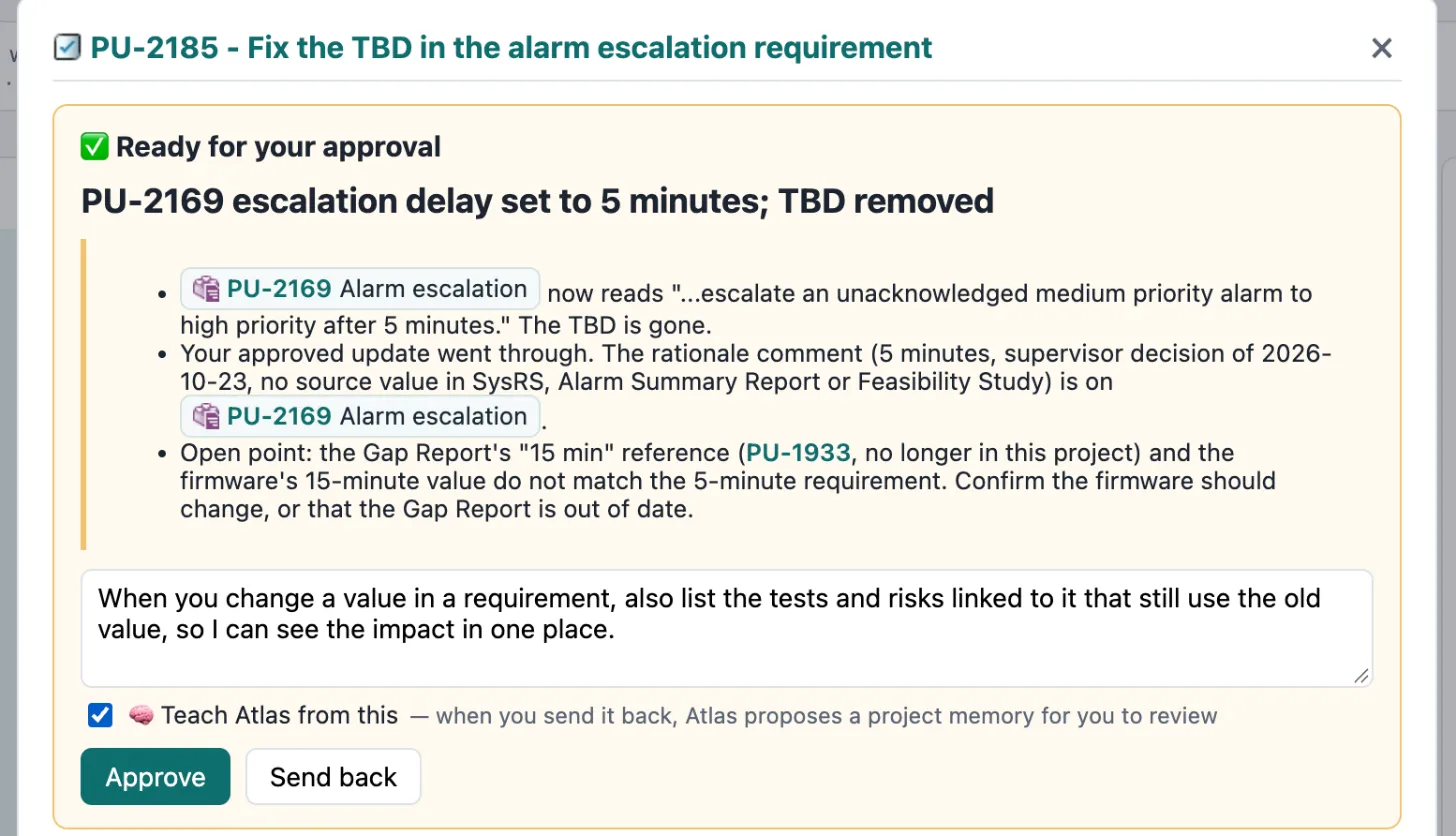
When you type feedback, 🧠 Teach agent from this appears. Tick it when your feedback is a rule worth keeping — the agent will propose a project memory for you to review. It is off by default: you decide what becomes a rule.
Waiting for a teammate
Section titled “Waiting for a teammate”On delegated tasks, the delegating agent reviews first. The box then says “Waiting for Mira’s review” — you can still Step in yourself.