
Documents and reports
Agents work in your LiveDocs
Section titled “Agents work in your LiveDocs”Requirements, tests and risks live in LiveDocs, and agents treat them that way: they read the document around an item before proposing a change, put new items into the right chapter, and keep the document’s structure.
- New items an agent creates are AI-marked (AI generated, author agent), start as draft, and are linked to the task (produced by) and the run (created by run).
- Changes to items people wrote are held for your approval.
Report documents
Section titled “Report documents”For reviews, gap analyses or plans, an agent can write a report as a new document — e.g. Planning/Gap-Report-2026-10-22 — with an introduction, chapters, findings as work items and a Decisions needed chapter. It completes and corrects the same document instead of creating new versions: extending it, fixing a paragraph, or removing an empty heading it left behind. Agents only restructure documents they created themselves.
Follow along
Section titled “Follow along”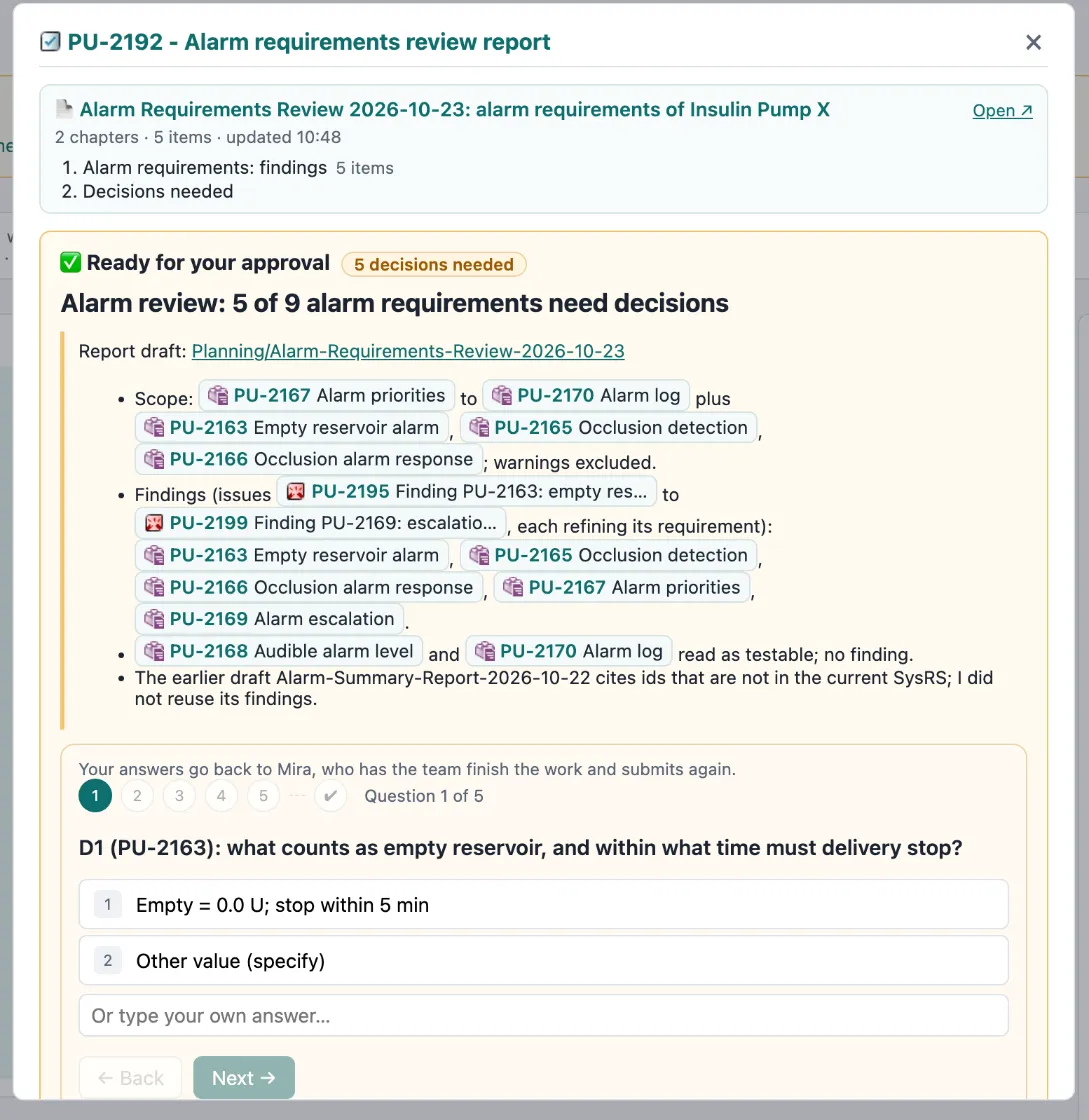
- In Activity, a 📄 card appears under the agent’s block with the document’s title, chapters, number of items and last update — refreshed as it grows.
- When the agent submits, the decision box shows the document’s outline with Open ↗ at the top.
Reviews, test runs and attachments
Section titled “Reviews, test runs and attachments”Agents can also:
- Request a review — a native Polarion work item approval for the people you name.
- Record a test run — a Polarion test run with a result per test case (AI-… ids).
- Write test steps in a test case’s Test Steps table.
- Attach a file — e.g. a test log from their sandbox — to a work item or document.
- Comment on a document as a whole.